Explain a process
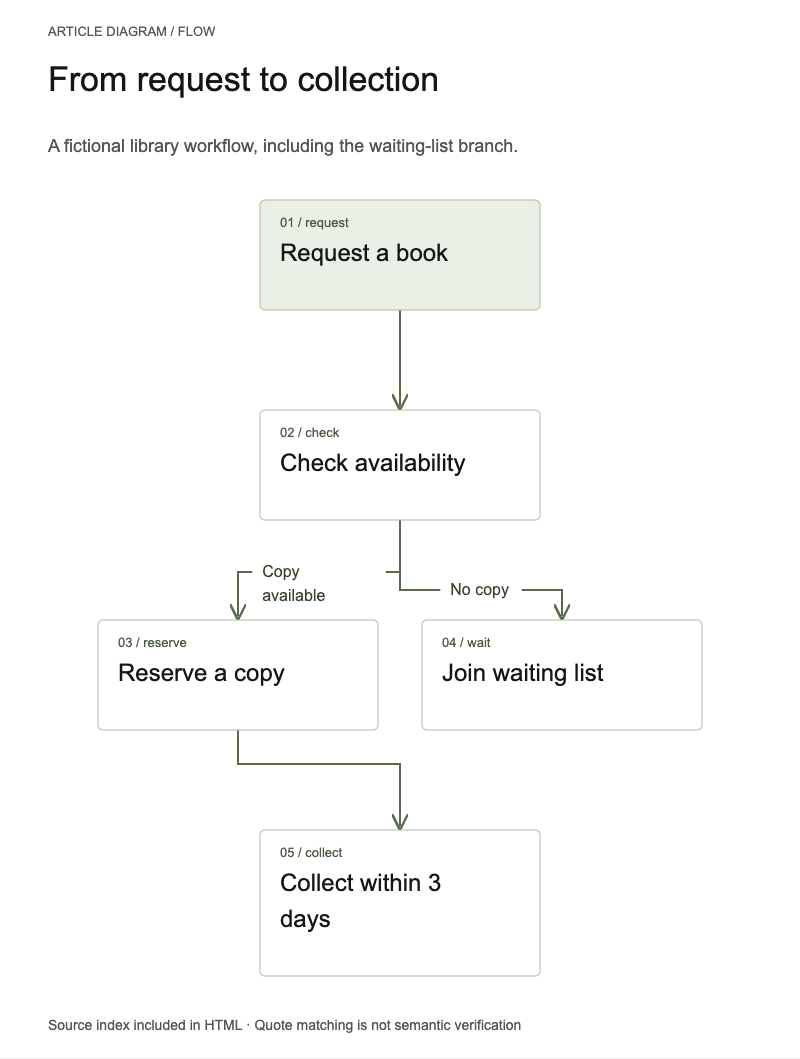
Explain steps and what each condition leads to.
A flowchart with conditions and source-linked arrows.
Article Diagram
Give your Agent an article. It chooses a flow, comparison or hierarchy and preserves conditions and source evidence. Keep an editable diagram. Sign in for the free package and use it in your own Codex project.
Available now · v1.0.0
Free after sign-in.
Explain steps and what each condition leads to.
A flowchart with conditions and source-linked arrows.
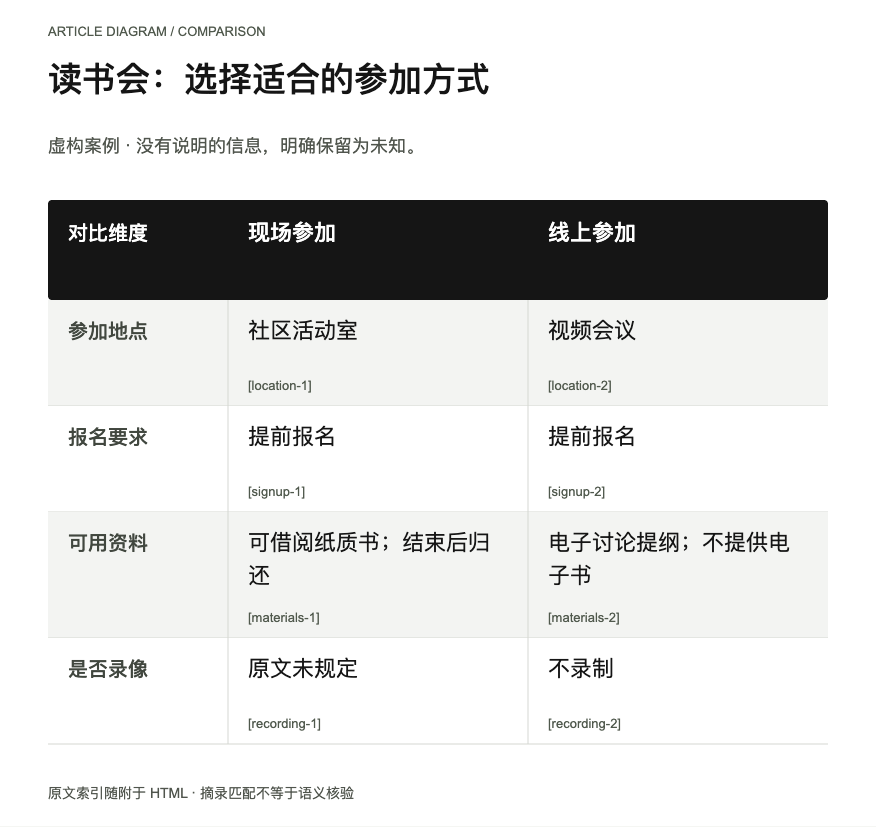
Compare two or three options along shared dimensions.
A comparison with cell-level evidence and explicit unknowns.
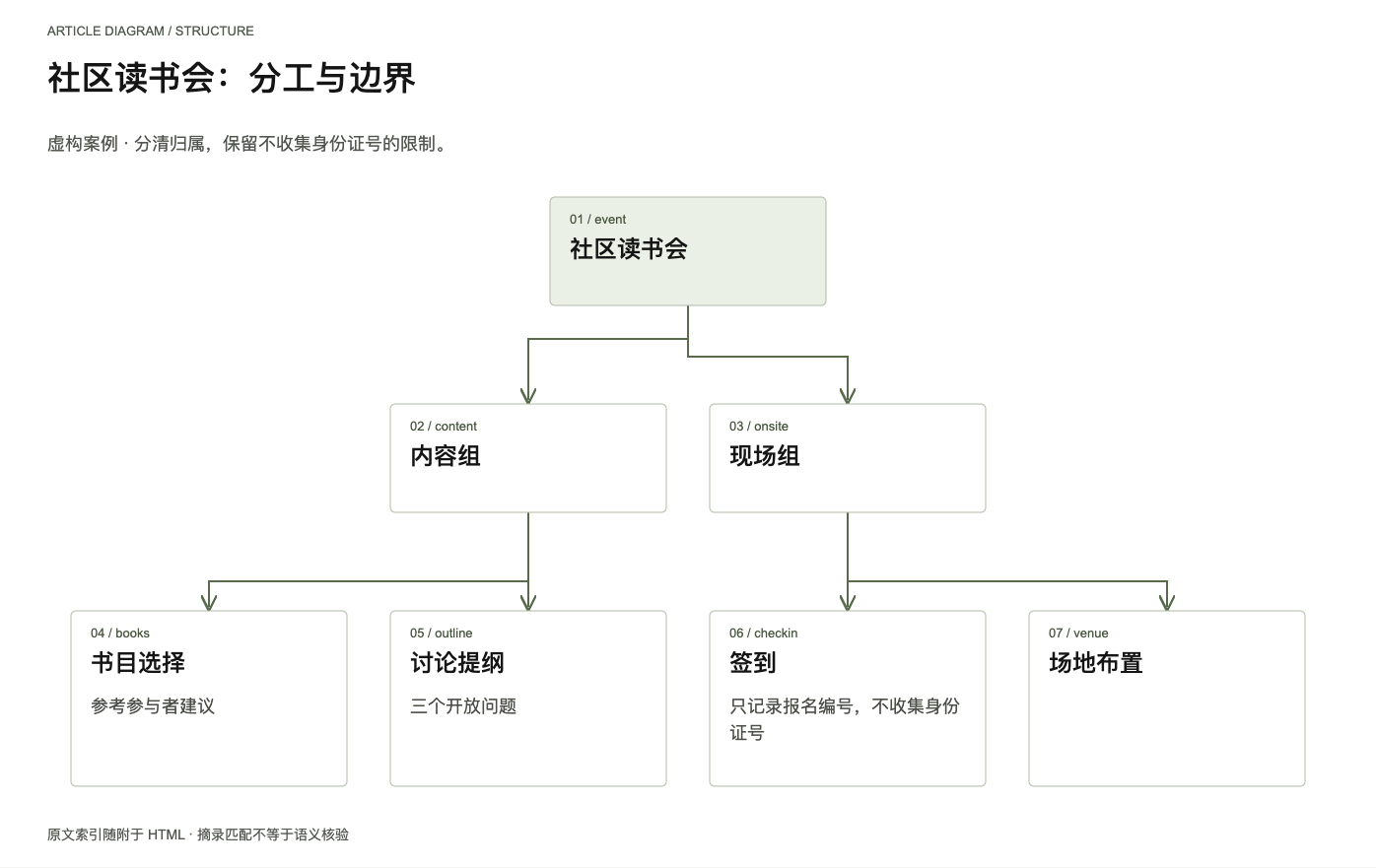
Explain ownership across teams, modules or concepts.
An editable hierarchy preserving responsibilities and limits.
Actual output · original fictional example
Original fictional policy: on-site book loans, online discussion notes; online sessions are not recorded, on-site recording is unspecified.
Organize location, sign-up, materials and recording; attach a source quote to every cell and preserve unknowns.
Identify steps, branches, common comparison dimensions or parent-child links. Keep unstated facts unknown.
Run the local tool for the figure and source index. Inspect actual text, arrows and meaning against the source.
Tell your Agent what to change. Update input and evidence, then export into a new folder without overwriting the old figure.
Bring source text you may use, its audience and purpose. Your Agent prepares JSON for you. Source text is included in the handoff; review sensitive content before sharing.
.agents/skills/article-diagram/SKILL.md (Codex) or .claude/skills/article-diagram/SKILL.md (Claude Code).Use article-diagram. First read the installed SKILL.md and INSTALL.md. Turn my supplied [source text] into a flowchart for [audience] and [purpose]. Preserve conditions, exceptions and unknowns, and attach exact source quotes to each item and relationship. Deliver SVG, offline HTML, editable JSON and a source index. Inspect the actual figure; export PNG if dependencies are available. Ask for missing source text instead of inventing evidence.
Installation & troubleshooting guideChange the supplied return deadline from 16:00 to 15:00 the next day. Update the related node and evidence while retaining other conditions.
This Skill explains supplied material. Without source text it asks for it rather than inventing facts and evidence.
The HTML is for reading, evidence and downloads. Your Agent edits JSON and regenerates the figure; it is not a browser drawing editor.
Flows and hierarchies: up to 12 nodes and 4 per level. Comparisons: 2–3 columns and up to 10 rows. Feedback cycles are unsupported; split complex explanations into focused figures.
No. The tool checks quote matches; the Agent still reviews context, arrow direction and unjustified causal claims.
Quote matching proves text exists, not semantic truth; your Agent must review relationships. No feedback cycles, numerical charting or in-browser drawing editor. Model fees are separate.