Pre-launch review
Before sending traffic, find observed obstacles to the intended action.
Prioritized repair cards with page evidence and acceptance conditions.
Website Conversion Audit
Provide your site, audience and main action. The Agent captures evidence, separates observed blockers from hypotheses and hands over concrete fixes. Fresh captures verify changes; missing or unavailable pages are not marked resolved.
Available now · v1.0.0
USD 9.99 · Single purchase, or get access through Pro.
Before sending traffic, find observed obstacles to the intended action.
Prioritized repair cards with page evidence and acceptance conditions.
Turn a suspected page problem into an implementable change.
URLs, selectors, concrete changes, owners and retest steps.
Check corresponding pages after the developer reports a fix.
Separate resolution, regression and untested scope; absence is not success.
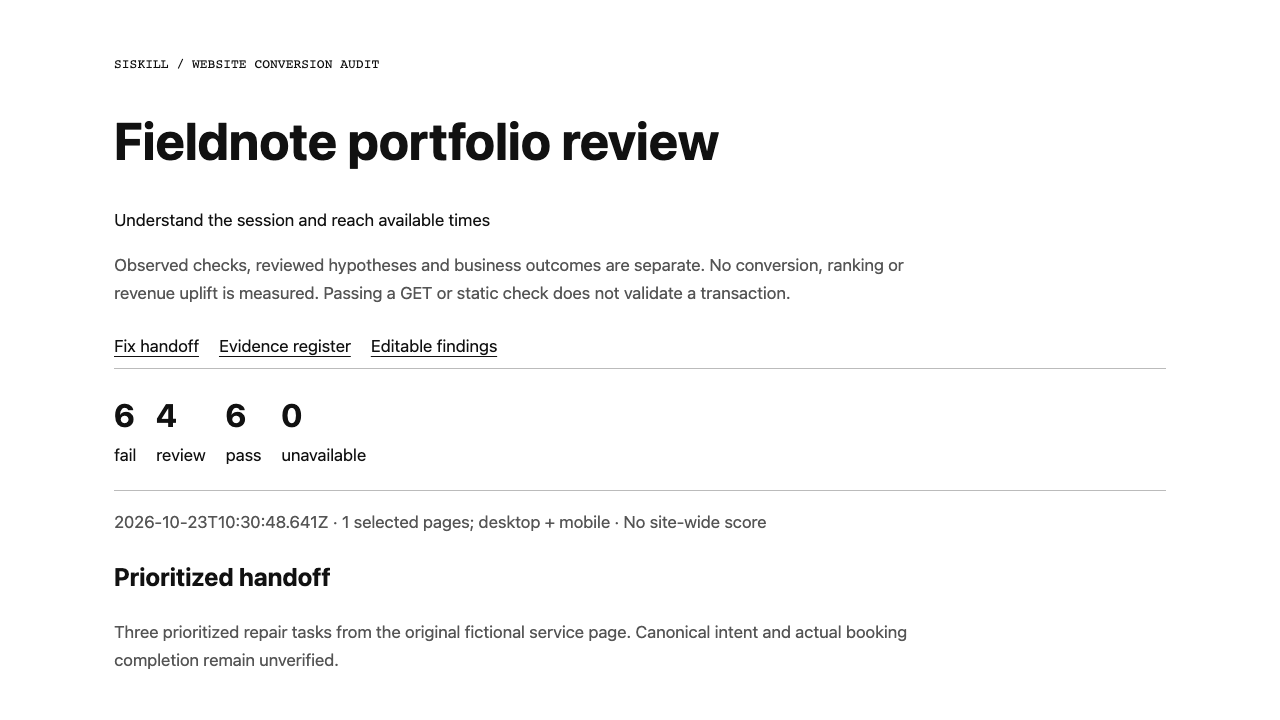
Actual output · original fictional example
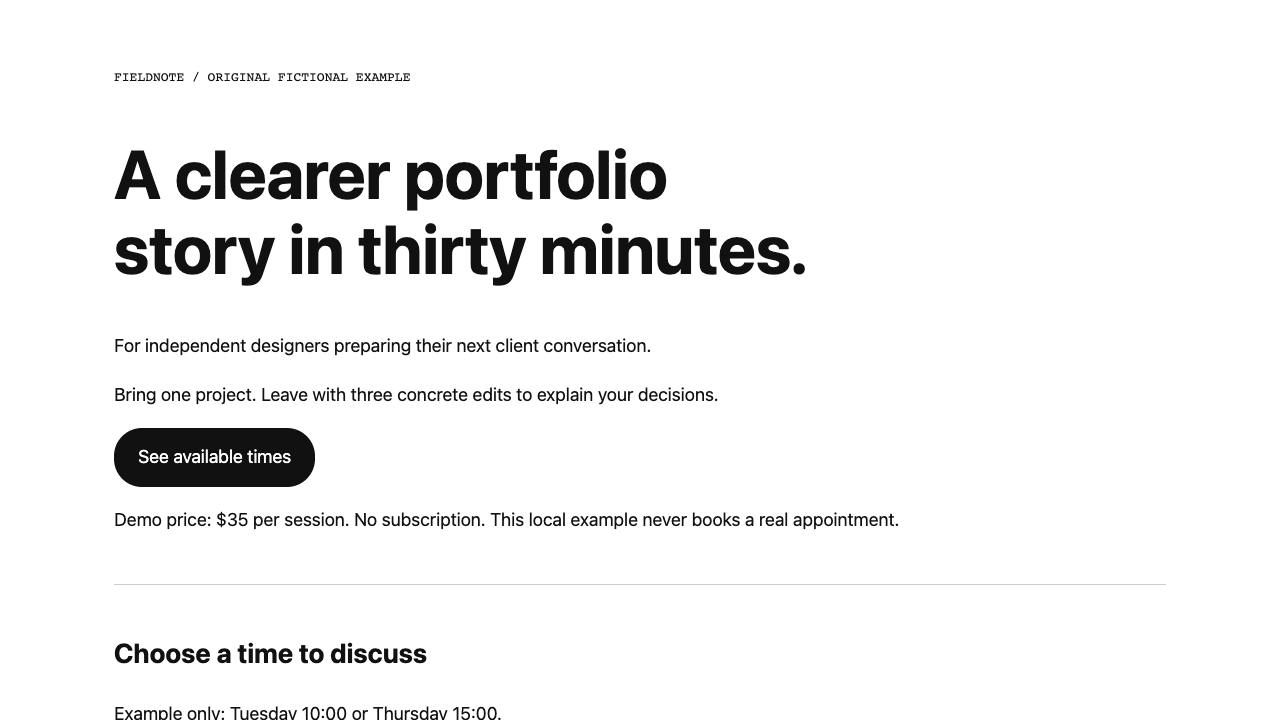
An original fictional Fieldnote page intended to help designers understand a 30-minute review and reach available times.
The primary link returns 404, the title is empty and noindex conflicts with the stated search intent. Turn them into three repair tasks and capture the repaired local variant.
Capture up to five explicit pages on desktop and mobile. Record delayed content, access failures and untested interactions separately.
State current evidence, priority, concrete change and acceptance conditions. A healthy page can have no repair tasks; do not manufacture issues.
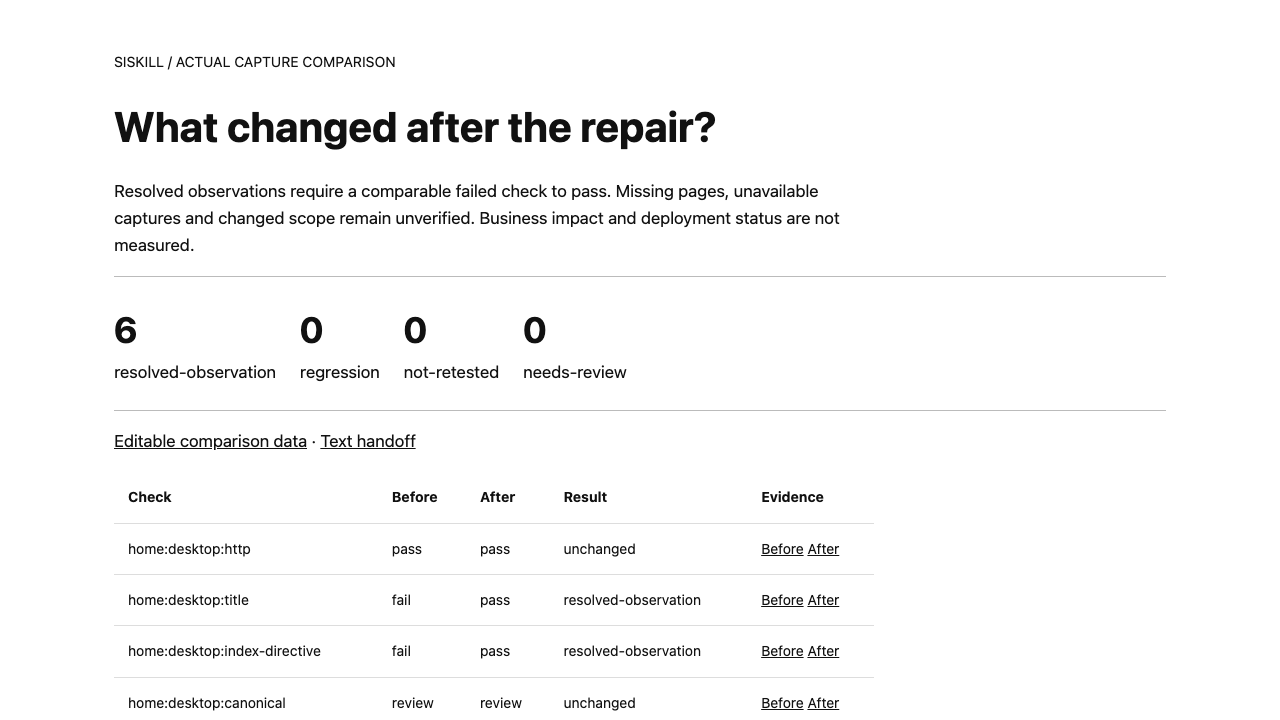
Preserve the old evidence. Only comparable fail-to-pass checks count as resolved observations. Copy hypotheses, deployment and business results need separate verification.
Provide the URL, desired visitor action and which pages should appear in search. The Agent chooses pages and selectors; you do not hand-code audit JSON. Page observations can proceed without analytics, while business impact stays unknown.
.agents/skills/website-conversion-audit/SKILL.md (Codex) or .claude/skills/website-conversion-audit/SKILL.md (Claude Code).Use website-conversion-audit to review [website URL] for [audience] and [signup/booking/contact goal]. Read SKILL.md first. Select up to five public pages, capture desktop/mobile evidence and deliver prioritized repairs with concrete changes and acceptance conditions. Separate observations from hypotheses; do not invent problems. Do not submit forms or publish changes.
Installation & troubleshooting guideWe fixed the primary CTA. Retest the same pages and viewports. If a page is unavailable, mark it unverified rather than resolved.
No guarantee. Observations, recommendations, implementation and business results are separate. Without behavior data or experiments, uplift cannot be quantified.
No. Capture is read-only and unauthenticated, with a same-origin GET check for the selected main link. Code changes and deployment need corresponding authorization; signup, booking and payment are not automatic.
Not on those features alone. Review intent, visible content and configuration; form-name checks also consider aria-label. Human/Agent judgment remains part of the workflow.
Purchase this Skill individually or download with an active Pro membership. Extract the complete folder to .agents/skills/website-conversion-audit/ in your project and ask Codex to read SKILL.md. Provide the URL, visitor and desired action; the Agent follows the included setup and capture instructions.
Read-only public-page review; no signup, booking, payment or deployment. Not a full SEO crawl, accessibility certification or conversion forecast. First-viewport captures and reachable GETs do not prove a completed funnel.