Monthly orders
Review the month’s order amounts with refunds and duplicate records.
Currency-separated amounts, definitions, source records and exclusions.
Data Evidence Report
Provide an order or channel export, reporting month and definitions. The Agent validates data, calculates metrics and builds charts with traceable sources. Refresh with next month’s file; missing columns, conflicting records and zero denominators stay explicit.
Available now · v1.0.0
USD 9.99 · Single purchase, or get access through Pro.
Review the month’s order amounts with refunds and duplicate records.
Currency-separated amounts, definitions, source records and exclusions.
Compare channels without averaging daily percentages.
Rates from summed counts, with explicit zero denominators and limits.
Reuse the report definitions and detect changed columns next month.
A new report and brief, with previous results preserved and conclusions rechecked.
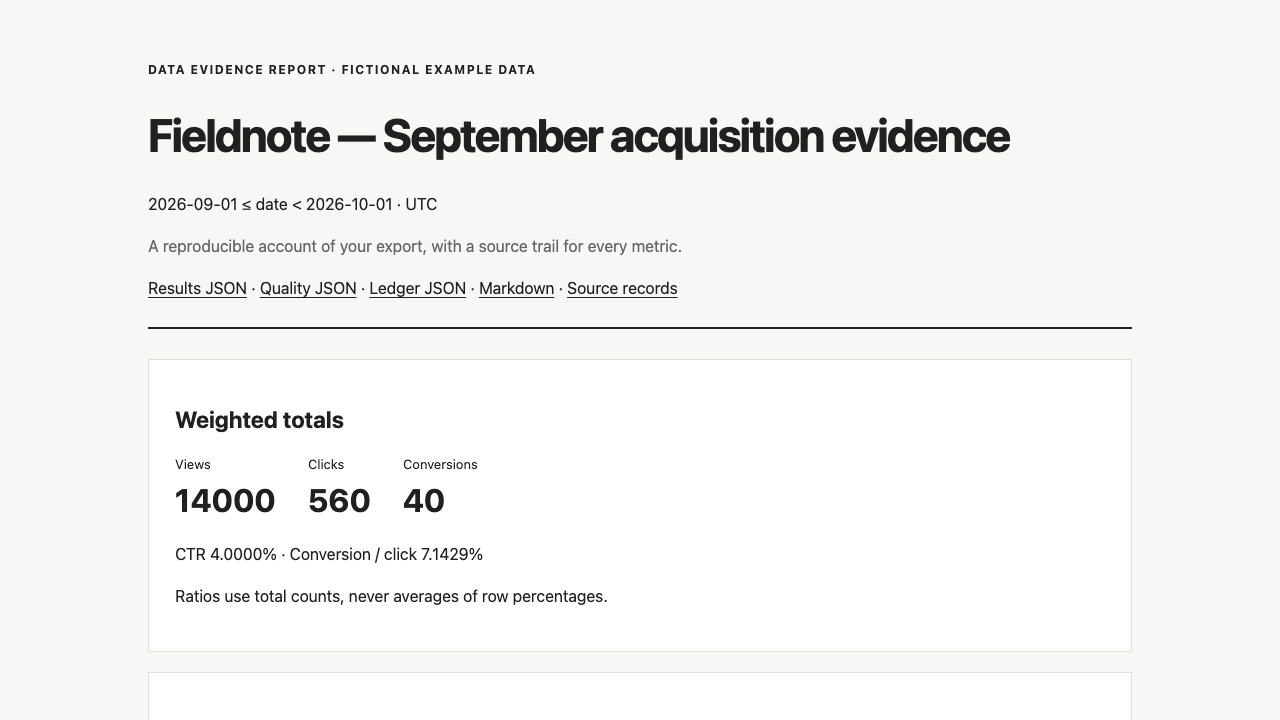
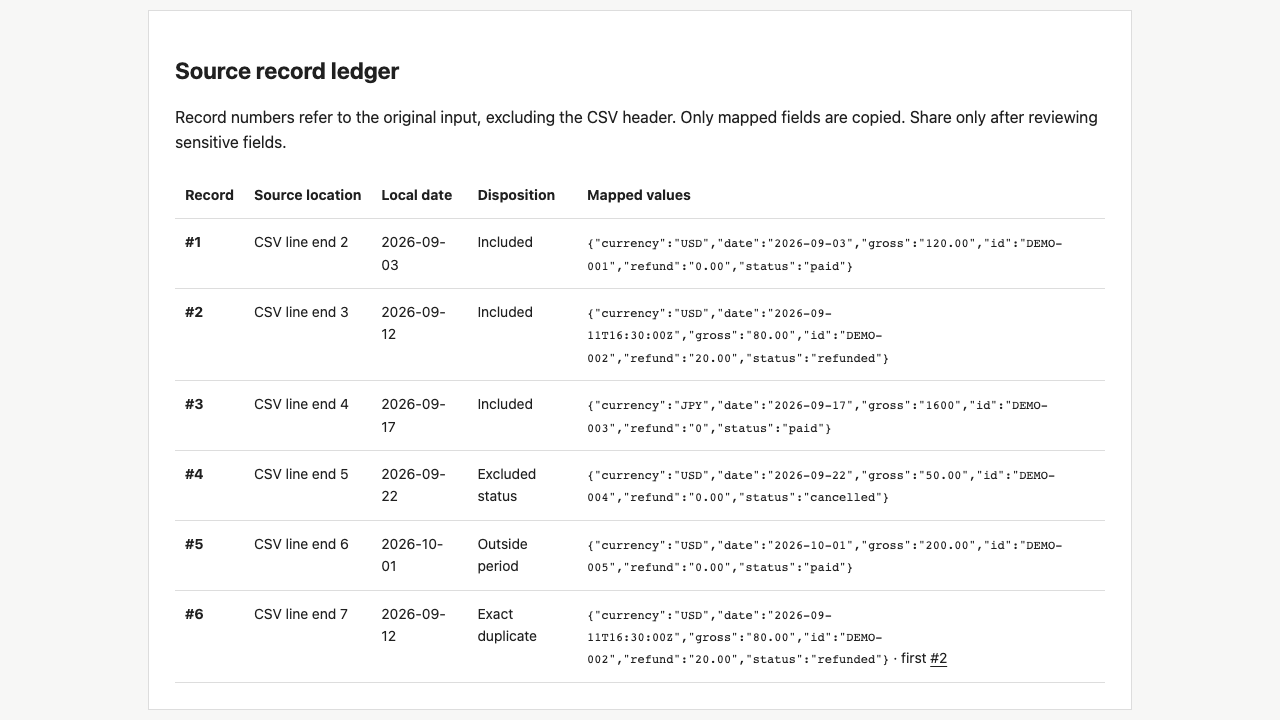
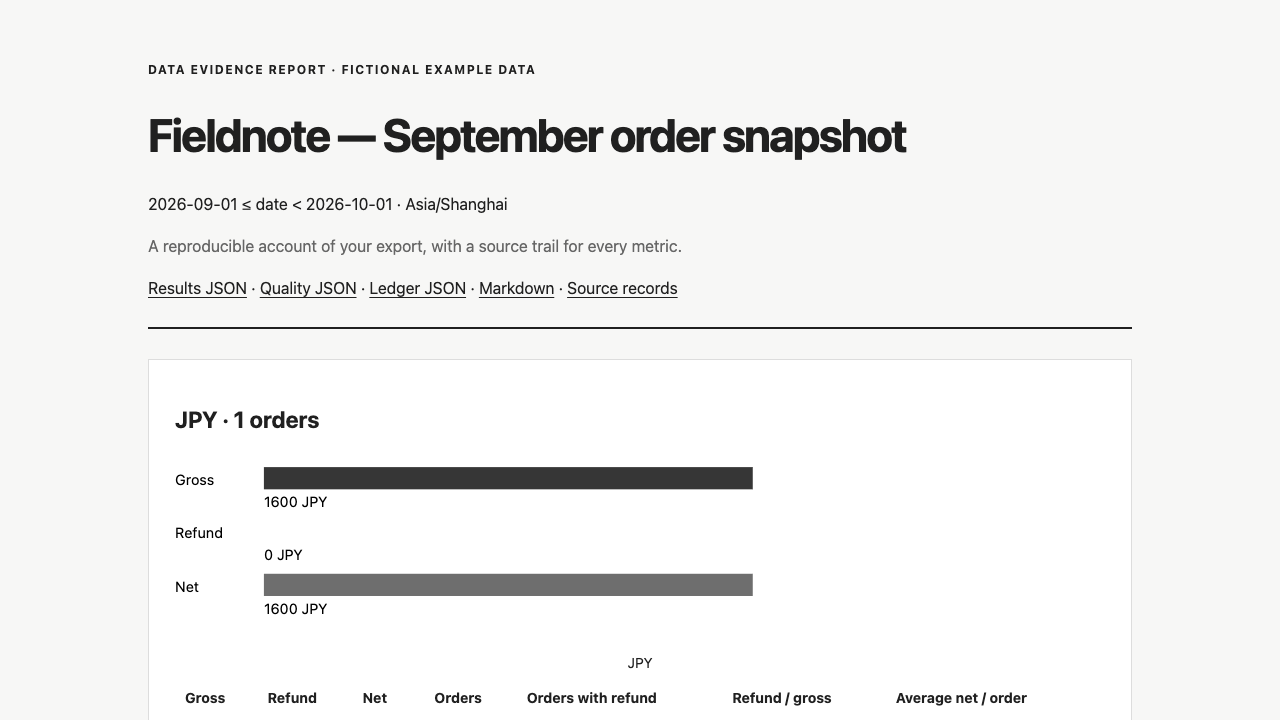
Actual output · original fictional example
An original fictional order export with refunds, duplicate records and an explicit reporting period.
Check duplicate order identities, select creation dates in the report timezone, apply status rules and aggregate each currency separately.
Establish the row grain, month boundary and included statuses. Missing values are not coerced to zero, and conflicting records are not silently chosen.
Keep currencies separate and sum numerators and denominators before calculating rates. Preserve filters, duplicate handling and source records for review.
Keep the previous run, update the source and month, then regenerate. Handle field and definition changes explicitly; old conclusions do not establish the new month’s result.
Provide CSV or a JSON object array, your question, reporting period and timezone. Orders need gross, refund, currency and status definitions; channels need comparable view, click and conversion counts. The Agent reads the columns and prepares the brief; you do not write formulas or JSON.
.agents/skills/data-evidence-report/SKILL.md (Codex) or .claude/skills/data-evidence-report/SKILL.md (Claude Code).Use data-evidence-report and read SKILL.md first. Analyze [order CSV/JSON path] for [inclusive start] to [exclusive end] in [timezone]. Confirm row grain, included/excluded statuses and refund definitions, then prepare the column mapping and brief. Calculate gross, refunds and net separately by currency. Deliver HTML/SVG, source records and reusable configuration. Report missing or conflicting data without fabrication; do not present the order snapshot as cash flow or profit.
Installation & troubleshooting guideAnalyze next month’s file under the same definitions and preserve this run. Explain changed column mappings first. Compare amounts by currency and label rate differences in percentage points.
It starts from raw exports, validates and calculates, then preserves evidence and refresh configuration. A weekly deck organizes existing findings. Outputs are HTML/SVG, not native PPTX.
The calculation helper reads local files without network access. Your Agent/model may process selected input under its own service settings; this package does not promise offline AI inference.
This version supports order snapshots and aggregate channel CSV/JSON exports. Refund event ledgers, joins, attribution, profit and currency conversion are outside scope. Ambiguous definitions need clarification.
Print the HTML to PDF in a browser and review pagination. Export Excel data as CSV first; workbook formulas are not read and native XLSX is not produced.
Purchase individually or download with an active Pro membership. Extract the complete folder to .agents/skills/data-evidence-report/ in your project and ask Codex to read SKILL.md. Provide CSV/JSON, period, timezone and your business question. The Agent maps columns and prepares the brief, clarifying ambiguous definitions with you.
Not audited accounting, profit computation, investment advice or a general data platform. Currencies stay separate; unsupported causes are not inferred. Internal examples are not customer results.