Rapid overlay toggles
A dismissed detail panel returns or shows the previous selection.
The latest intent wins; stale responses do not replace current content, and dismissal restores a sensible focus.
Interaction Motion
A dismissed panel returns, results lag behind the query, or long content is clipped. Repair one concrete problem in an existing web interface, recording the failure and replaying the same actions after the fix.
Available now · v1.0.0
USD 9.99 · Single purchase, or get access through Pro.
A dismissed detail panel returns or shows the previous selection.
The latest intent wins; stale responses do not replace current content, and dismissal restores a sensible focus.
Results no longer match the query after rapid typing or filtering.
Preserved input and checks for stale responses, empty results, errors and retries.
Expansion flashes or longer content is clipped on a phone-width layout.
Interruptible state changes, complete content and reduced-motion checks.
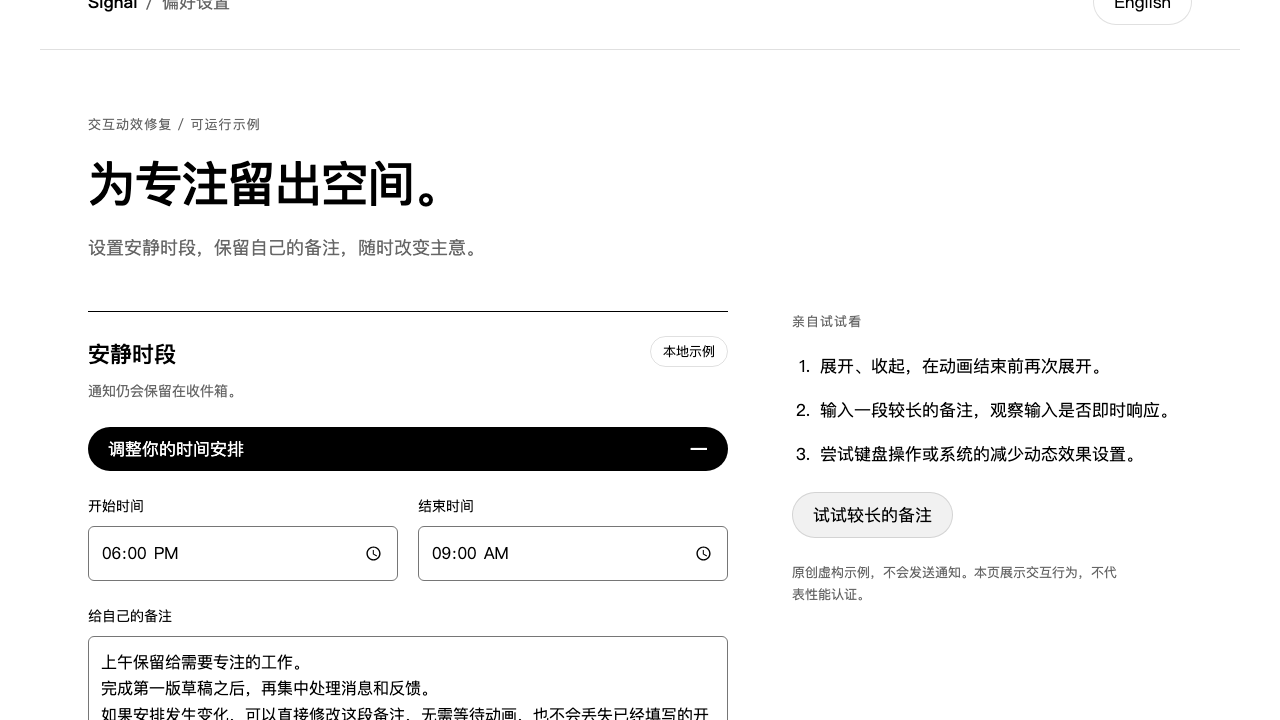
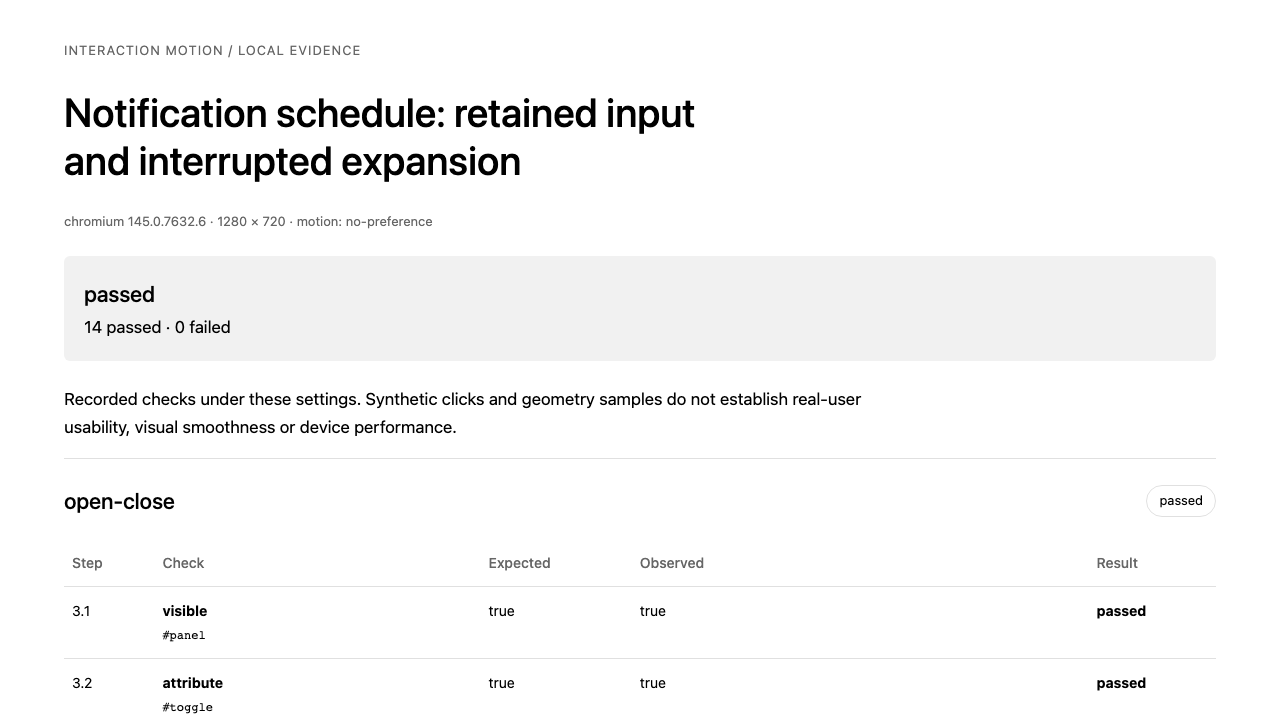
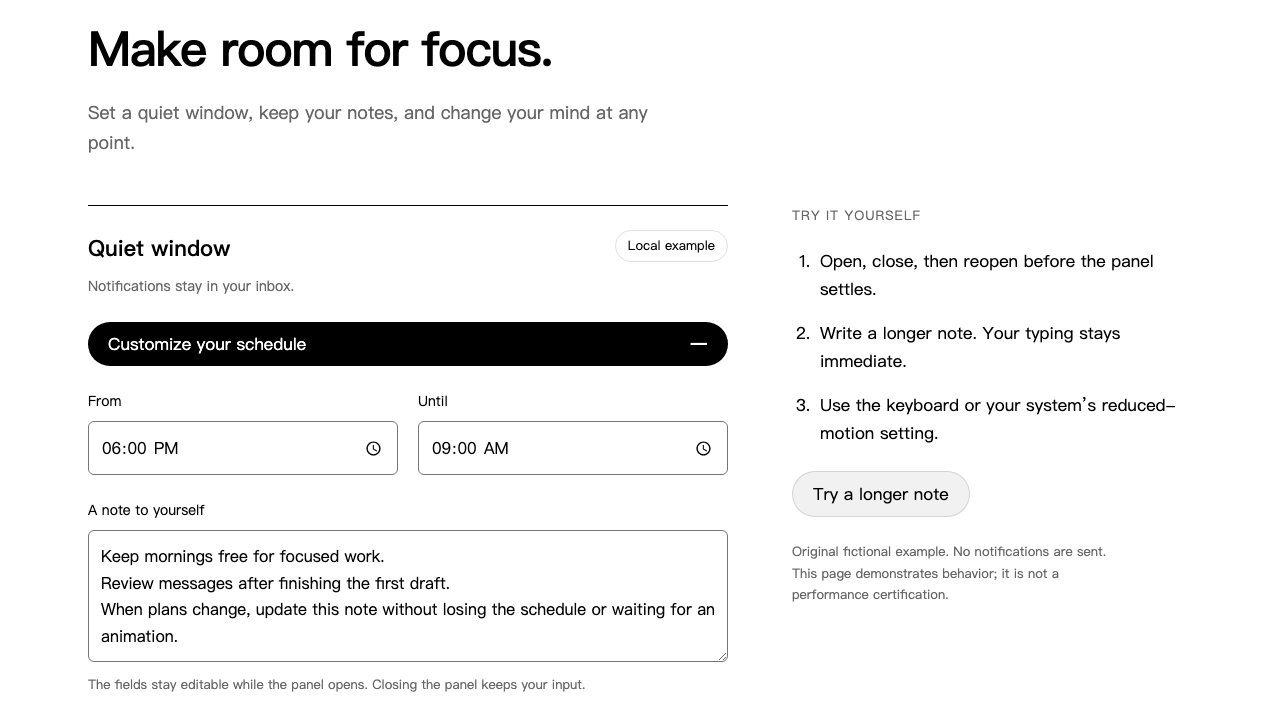
Actual output · original fictional example
An original fictional notification settings page with times, longer notes and language switching.
Check the final expanded state after interruption, preserved notes and keyboard focus; retain each outcome in the report.
Identify the trigger and what must persist: content, focus and selection. Define how a new intent supersedes an earlier one.
Correct state ownership and stale responses before adjusting necessary motion. Keep the existing technology and visual system.
Compare the same plan before and after. Exercise relevant languages, widths and edge cases, distinguishing automated checks from real-use validation.
Provide editable source, the local startup command if known, and the interaction problem. The Agent inspects source, selects targets and writes the check plan; you do not hand-write JSON.
.agents/skills/interaction-motion/SKILL.md (Codex) or .claude/skills/interaction-motion/SKILL.md (Claude Code).Use interaction-motion and read SKILL.md first. Source: [project path]. Startup: [command or discover from project]. Page: [local URL / route]. Reproduce stale content or returning overlays during rapid open, close and reselection. Define the latest intent, request ownership and focus after dismissal; preserve current input and design.Record the failure and expected behavior, apply a minimal repair, then compare the same check plan before and after. Cover relevant languages, desktop/mobile widths and keyboard input. Deliver source edits, state notes and HTML/JSON/screenshot evidence, stating unverified scope. Identify missing inputs instead of substituting the bundled example.
Installation & troubleshooting guideAfter changing text or timing, preserve prior evidence and rerun affected checks. Recapture the baseline when behavior or selectors change.
It repairs actual behavior in an existing web interface and delivers source edits and retest evidence. Its output is a working repair, with your existing design retained.
A screenshot can illustrate a symptom. Repair needs editable source and a working local preview; missing inputs are called out rather than replaced with the bundled example.
Bring Codex, Node 24, the project runtime and Playwright with Chromium or existing Chrome. Dependency installation needs internet access. Model and Agent fees are separate; no paid API is required.
No. Checks establish outcomes for the recorded actions and settings; motion still needs visual review. Mobile-width emulation is not a real phone test, and this version has no real-user benefit or cross-browser certification.
Purchase individually or download with an active Pro membership. Extract the complete folder to .agents/skills/interaction-motion/ in your project and ask Codex to read SKILL.md. Provide editable source, a startup command and a concrete symptom; the Agent reproduces, repairs and records before/after checks.
One related interaction cluster on a local page at a time, requiring source and preview. Not a universal automatic fixer, native-app or video tool; no business-lift, device-performance or accessibility certification.